 0330 123 4609

Menu
The most expensive iPhone just got more expensive, one tiny mistake could cost you an extra £999!

Written by Sneha Kashyap, Content and PR Executive | Conscious Consumption and Tech Trends
Last updated on 3 November 2026
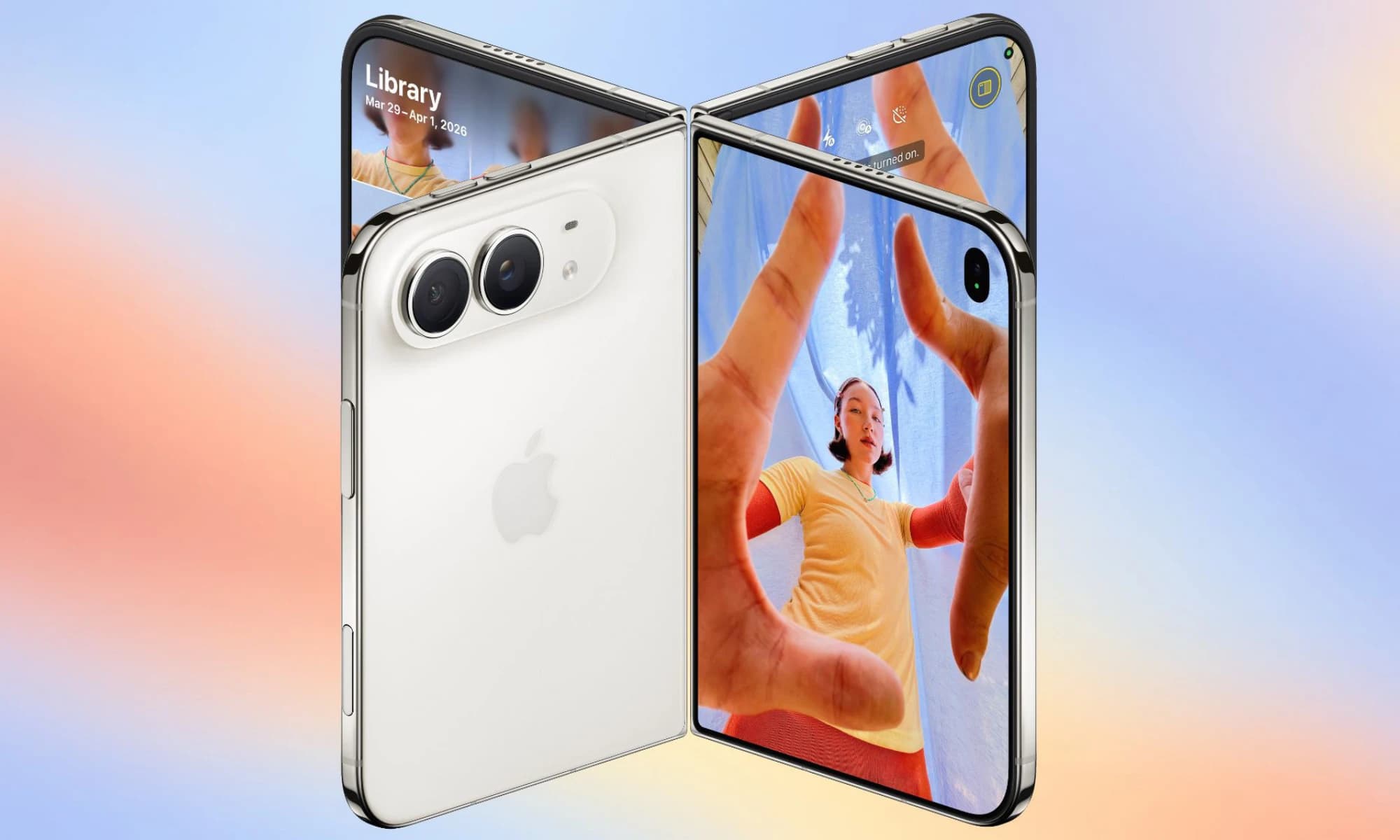
Image credit: MacRumors
Apple’s first foldable has just hit the market. And if you’ve got your hands on one, you’ll want to make sure it lasts as long as it’s supported (ideally). Even if you decide to upgrade somewhere down the line, you want it to be in good condition for as long as you use it and to pocket you a decent amount of money when you decide to trade it in.
Here's how to take care of your iPhone Duo, including the mistakes worth avoiding and the warning signs you shouldn't ignore.
The iPhone Duo's inner screen features a nano-texture cover layer designed to reduce glare and reflections while helping protect the display. Unlike a traditional smartphone display, the inner screen folds when you close the device. Keeping its surface clean and free from hard objects before folding is particularly important.
You may be tempted, but do not peel off the nano-texture cover layer. It is an integral part of the iPhone Duo’s inner screen and must not be removed under any circumstances. The nano-texture cover is not a disposable protective film.
Check the inner display every time before folding your Duo shut. Pay attention to things like dust, debris, sand, crumbs or any loose particles like thread from bags and pockets that can get trapped between the two sides, or slide through into the hinge mechanism, and damage the inner display when shut.
If you notice debris, remove it carefully using a polishing cloth before closing the phone.
Use a light touch when interacting with the folding screen. Avoid pressing hard with your fingernails or using sharp objects to remove marks.
If you notice a stubborn spot, don't attempt to scrape it away. Use a clean polishing cloth for the iPhone Duo's nano-texture surface instead.
Image credits: GSMArena
Display lines, marks or touch problems - check whether the problem persists after a normal restart, provided the device can be used safely. If it continues, contact Apple Support, and do not attempt to repair the folding display yourself.
A lifting screen layer or unusual surface changes - Document the issue and arrange a professional assessment. Some marks may be material transfer rather than scratches, so don't assume that every visible mark indicates permanent damage. Follow Apple's cleaning guidance before attempting to remove it.
Image credits: 9to5Mac
The hinge makes the Duo even more of an anomaly, so if you want yours to last you need to pay equal attention to it.. Avoid folding the device over an object, even if it appears small or harmless. A hard object trapped inside can put unwanted pressure on the hinge.
Open and close the phone naturally and comfortably, but don’t try to push the hinge beyond its intended range or attempt to adjust the hinge yourself.
If the hinge suddenly becomes difficult to move, feels different from usual or develops an unfamiliar noise, avoid forcing it. Check for any visible external obstruction and contact Apple Support if the problem persists.
NOTE: Avoid lubricating the hinge or inserting tools into its mechanism.
If the hinge becomes stiff, catches, feels loose or makes a new persistent noise, stop forcing it. Avoid applying oils, lubricants or household cleaning products. A professional assessment is safer than attempting a mechanical repair at home.
Your pockets and bags can expose your iPhone Duo to dust, grit and hard objects. Keep the phone separate from loose coins, keys and sharp objects where possible. Avoid placing it in a pocket containing sand or other abrasive debris. If you’re putting it inside a bag, be careful not to put any heavy objects on top of your iPhone.
As with any phone, you may want to accessorise your Duo - the only thing we’d recommend is going for substance over style. Let us explain why.
It’s only natural to want to protect your Duo’s screen especially when Crackgate made headlines just hours after the foldable’s release. But the iPhone Duo already comes with a screen protector - it’s the nano texture layer. We’ve already mentioned that you shouldn’t remove it; additionally, you shouldn’t put anything on it either.
Apple strongly advises against putting anything on the built-in screen protector on the iPhone Duo’s inner screen, however, their stance is somewhat flexible regarding the outer display in comparison. Since the latter does not come with a screen protector, you can get one for it.
Image credits: Apple
Just like when you go travelling, choosing the right protective accessories can go a long way in ensuring your iPhone Duo stays as good as new. A phone case is one of the best things you could invest in if you’ve got the world’s most expensive iPhone yet.
You have a few choices here. You can go with Apple’s iPhone Duo Case (which uses internal adhesive strips to stay secured), or the iPhone Duo Folio with a kickstand (which uses MagSafe magnets). Other brands like Benks, Sandmarc, and Mous also make protective or slim cases for the device, some featuring hinge coverage or different attachment styles.
Phone insurance is always something to consider when you’re upgrading, whether you’re going for one of the iPhone 18 models or Apple’s first foldable. And with the Duo being the most expensive iPhone yet, you’ll be better paying a bit extra for cover. You can either add AppleCare+ for your iPhone Duo, or AppleCare One if you use multiple Apple devices.
Here’s what’s covered:
Manufacturing Defects: Apple's standard one-year limited warranty covers hardware defects and hinge-related issues in the first year.
Accidental Damage Protection: AppleCare+ adds unlimited repairs for accidental damage, including inner and outer screen cracks, back glass damage, and cover layer replacement.
Battery Service: Includes free battery replacement if capacity drops below 80%.
Theft and Loss: Available as an optional tier for eligible claims.
| Feature | With AppleCare | Without AppleCare |
|---|---|---|
| Inner Display Repair | £99 | £999 |
| Outer Display Damage | £29 | £389 |
| Damage Cover | £25 | £179 |
Screen and hinge protection are important, but battery care also contributes to the long-term usability of your phone.
You don't need to wait until the battery is completely empty before charging it. Equally, there's no need to repeatedly disconnect and reconnect the charger in an attempt to achieve a perfect charge level. Keep your software up to date and use the battery charging and optimisation features in iOS.
Heat is a bigger concern, as excessive temperatures can affect battery performance and interrupt charging, so avoid leaving your phone in direct sunlight, a hot car or near strong heat sources. If it becomes unusually hot, stop intensive activities, unplug the charger (if applicable) and allow it to cool naturally. Avoid using a fridge or freezer to speed up the process.
The iPhone Duo has an IP68 rating under controlled laboratory conditions, with a specified maximum depth of six metres for up to 30 minutes. However, that doesn’t mean you should go around trying to take pictures under water, especially without a waterproof pouch.
Water and dust resistance can diminish over time, and liquid damage isn’t covered by Apple’s standard warranty, so you need to take extra care around pools, the sea, showers and chemicals. If the phone gets wet, follow Apple's drying and handling instructions. Don't charge a wet device, use an external heat source or insert objects into its openings.
Sand and dust also pose a risk, particularly around the hinge. JerryRigEverything's durability test specifically shows how easily debris can get into the hinge and keep the magnets from pulling the two halves completely shut. So, you need to be particularly careful in gritty environments and check for debris before opening or closing your Duo; otherwise particles can get trapped in the hinge and you won’t be able to shut the two sides. Never force particles out with tools or compressed air; seek professional advice if the hinge becomes affected.
Regular cleaning helps remove fingerprints, dust and everyday grime. However, the iPhone Duo's inner display needs particular care because of its nano-texture surface.
Image Credits: Tech Company News
✅Turn off the phone and disconnect any cables.
✅Place your Duo on a clean, well-lit surface.
✅Use a clean microfibre cloth for dust and everyday cleaning.
✅For stubborn marks, dip your microfibre in 70% isopropyl alcohol solution. And gently wipe off the mark.
✅Use an Apple polishing cloth for the nano-texture layer.
❌Do not get moisture in the openings.
❌Do not use compressed air.
❌Do not submerge your iPhone in any cleaning solution.
NOTE: Your iPhone has a fingerprint-resistant oleophobic – oil-repellent – coating. Cleaning products (excluding the ones mentioned above) and abrasive materials can damage the coating and cause scratches.
Because a mistake could cost you an extra £999! With “Crackgate” causing a scandal within hours after the iPhone Duo hit the market, there’s even more reason to take care of your one. But it doesn’t have to be complicated.
The most important habit is to check the inner display before closing the phone. Combine that with gentle cleaning, compatible accessories, sensible charging and prompt attention to unusual changes, and you'll have a practical foundation for looking after your iPhone Duo. When in doubt, follow Apple's latest model-specific guidance rather than experimenting.

We investigate how often lithium-ion batteries cause fires in bin lorries and UK waste sites, why is it an issue and what are the recycling habits fuelling it.

iOS 27 is here with a host of hidden tools, smarter AI, and useful upgrades. Could it change how you use your iPhone?
Apple has finally joined the foldable party after seven years, but was it right to wait?


